 Help Center
How to use Overview at the start of the day
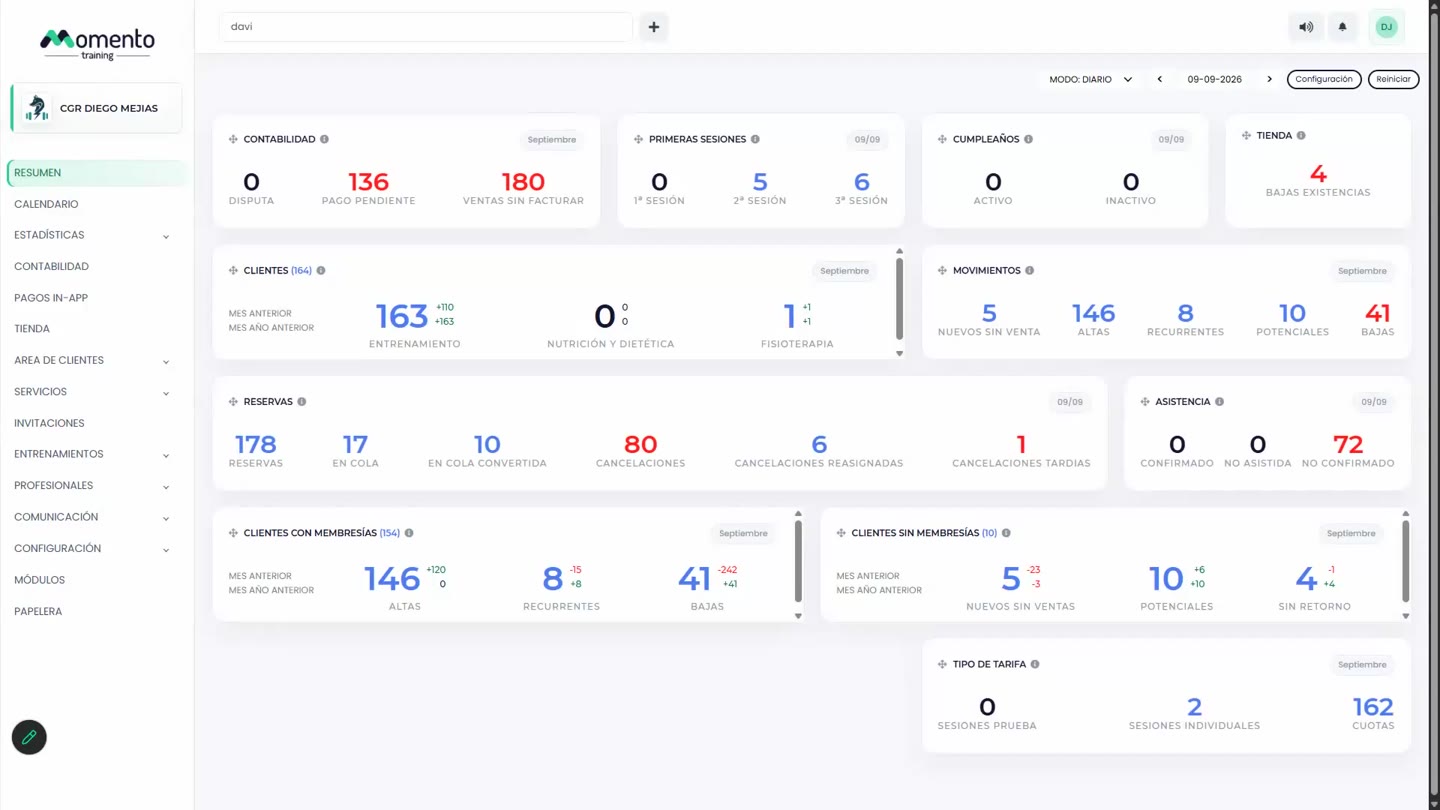
Review pending payments, bookings, attendance, birthdays, first sessions, and low stock from one screen.

The Overview screen is a control view. It does not replace detailed sections, but it helps you spot what needs attention quickly.
You can review the current day or switch to a monthly view depending on the management routine you are performing.
Many widgets let you open details by clicking numbers, categories, or lists.
Recommended steps
- Choose daily or monthly view.
- Check pending payments and daily bookings first.
- Open widgets with issues to act in the matching module.
Before you start
Make sure you are in Overview and that you have permission to perform this action in the correct center.
If you are changing information that affects clients, bookings, payments, or notifications, review the current state first to avoid incomplete changes.
What happens next
After saving or applying the action, return to the related list, profile, or session and check that the change appears as expected.
If the result is not what you expected, review filters, selected date, active center, and item status before repeating the action.